
Let’s be honest: Googling “best CRM for small business” gives you the same recycled lists—HubSpot, Zoho, Salesforce Essentials—all ranked by features, not fit.
But here’s the truth no roundup tells you:
The “best” CRM isn’t the one with the most stars.
It’s the one that disappears into your workflow—so you use it daily, not just when leadership asks for a report.
So instead of declaring a winner, let’s ask better questions. Then you’ll know exactly which path makes sense for your business.
🔍 First: What Kind of Small Business Are You?
Not all small businesses scale the same way. Your CRM should match your growth model:
| Run a solopreneur service (coaching, freelancing) | A lightweight CRM + scheduling + payments | Tools that force complex pipelines you’ll never use |
| Deliver projects (agencies, contractors, consultants) | CRM tightly linked toproject tracking, timelines, and billing | CRMs that treat “deal closed” as the finish line |
| Sell physical products or high-touch services (jewelry, wellness, boutique retail) | Client memory: preferences, purchase history, gifting dates | Generic contact fields that don’t capture what matters |
🛠️ Key Criteria Most Reviews Ignore
Forget “ease of use” (everyone claims that). Ask instead:
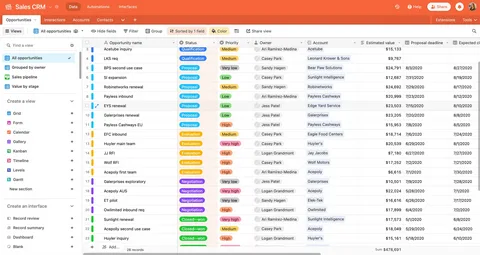
✅ Does it connect to your next step?
If closing a deal means manually creating a project, sending a contract, and drafting an invoice—you’ve already lost time (and data accuracy). Platforms like WORKESK turn deal closure into an automated launch sequence: project created, team assigned, Zoom kickoff scheduled, client BioLink shared.
✅ Can your non-sales teammates actually use it?
Your project manager shouldn’t need training to see client context. Your bookkeeper shouldn’t export CSVs to match invoices to deals. In true business management software, CRM data flows naturally to ops, finance, and support.
✅ Does it scale with your team—not ahead of it?
Avoid tools that require admin certification or $200/hr consultants to tweak a field. WORKESK lets you start with just CRM and contacts, then add e-invoicing, payroll, or workflow automation as you grow—no reimplementation.
🆚 How WORKESK Compares—Honestly
We won’t pretend it’s right for everyone. But for businesses that:
- Deliver custom work (projects, services, orders)
- Value client relationships over transaction volume
- Want one system—not five logins
…WORKESK often clicks faster than “simpler” CRMs—because it was built for doing, not just tracking.
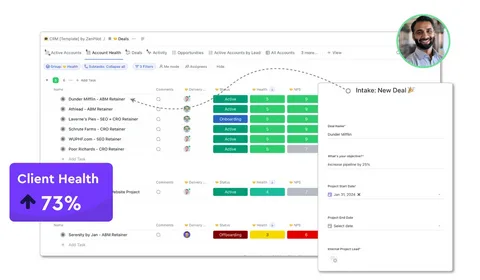
✔️ No separate tool for project management
✔️ Zoom calls log automatically to client profiles
✔️ E-invoices pull data from CRM + project records
✔️ BioLinks let every team member share a professional hub (e.g., yourbrand.com/jane)
✔️ Payroll can tie incentives to client outcomes—not just hours
It’s not the cheapest CRM. But for many, it’s the lowest total cost of ownership—because it prevents tool sprawl, onboarding chaos, and revenue leakage.
The bottom line?
The best CRM for your small business is the one your team actually uses—not because they have to, but because it makes their job easier.
If you’re tired of stitching tools together…
If you deliver work for clients, not just to them…
If growth means staying personal while getting more organized…
👉 See if WORKESK is your fit—free 14-day trial, no credit card:
workesk.com
Have questions about your specific workflow? We’ll help you map it: support@workesk.com