
You’ve probably done this dance:
✅ Close a client in your CRM
➡️ Switch to PayPal/QuickBooks/Zoho Invoice
➡️ Manually re-enter client name, project details, line items
➡️ Send invoice
➡️ Go back to CRM to log “Invoice Sent”
➡️ Wait… did you update the deal stage?
By the third client, it’s exhausting. By the tenth, mistakes happen.
The fix isn’t working harder. It’s working connected.
A true small business CRM with invoicing—built into one system—doesn’t just save clicks. It protects your cash flow, professionalism, and sanity.
Here’s how it works when CRM and invoicing aren’t just “integrated”—but unified.
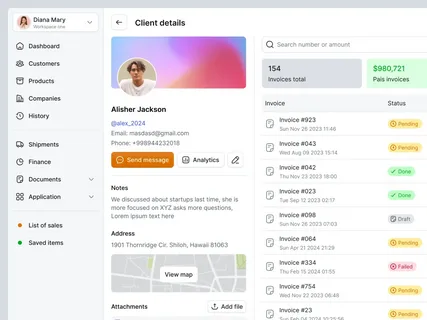
🔄 1. Invoice from the Client Record—No Copy-Paste
In WORKESK, every client lives in your CRM system with full context:
- Past conversations (including Zoom call notes)
- Active projects and deliverables
- Contract terms and payment history
When it’s time to bill? Click “Create Invoice” right from their profile.
→ Client info auto-fills
→ Project line items pull from active work
→ Tax, currency, and payment terms apply per your template
→ Invoice generates instantly—PDF ready to send or schedule
No switching apps. No typos. No “Which project was this for again?”
⏱️ 2. Automate the Billing Cycle—So You Get Paid Faster
Late payments aren’t about trust. They’re about forgetting.
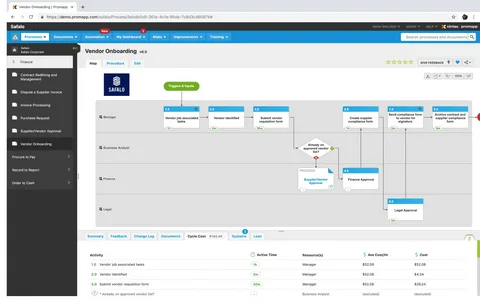
With workflow automation, you set rules once—and let the system handle the rest:
→ When project milestone = “Delivered” → Generate invoice
→ If invoice unpaid after 3 days → Send polite reminder
→ If unpaid after 7 days → Notify account manager + add note to CRM
→ When paid → Update client status + log thank-you task
One digital agency cut average payment time from 34 to 11 days—just by automating the first two reminders.
No awkward calls. No spreadsheet tracking. Just consistency.
📊 3. See Cash Flow in Context—Not Isolation
Standalone invoicing tools show you what’s due.
A CRM with built-in invoicing shows you why it matters.
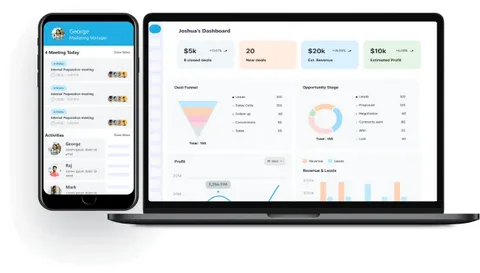
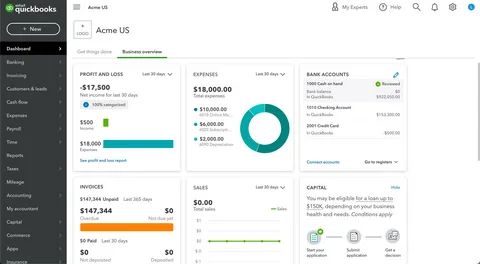
In WORKESK, your dashboard answers real questions:
- Which clients consistently pay late? → Adjust terms or require deposits
- Which projects have the highest margin after billing? → Double down on those services
- Who hasn’t been invoiced in 60+ days? → Spot stalled work or missed scope
Finance isn’t siloed. It’s part of the client story.
📱 4. Client Experience Stays Professional—Even on Mobile
Your clients don’t care about your backend tools. They care about clarity and ease.
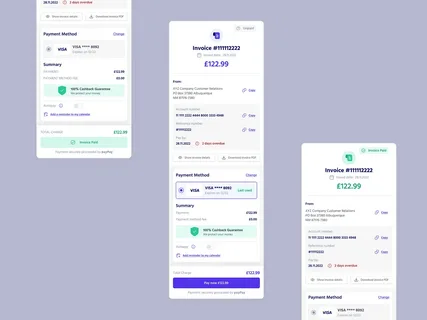
With WORKESK’s e-invoicing, every invoice includes:
- Your branded header and logo
- Clear line items tied to project deliverables
- One-click online payment (credit card, bank transfer)
- Automatic receipt + thank-you note upon payment
And because invoices live in the client’s CRM profile, your team sees real-time status: Sent → Viewed → Paid. No more “Did they get it?”
💡 Real Talk: Not All “CRM + Invoicing” Is Equal
Many tools claim “CRM and invoicing”—but:
- HubSpot CRM + Stripe = two logins, manual data flow
- Zoho CRM + Books = separate subscriptions, sync delays
- QuickBooks + CRM add-ons = clunky, finance-first UX
WORKESK was built from the ground up as a true business management software—where CRM, project management, e-invoicing, payroll, and team collaboration software share one database. One login. One source of truth.
You’re not bolting tools together. You’re operating as one team.
Growth shouldn’t mean more admin.
It should mean more impact—with less effort.
👉 Try a CRM that includes invoicing—without compromise:
Free 14-day trial, no credit card: workesk.com
Have a specific workflow (retainers, deposits, multi-phase billing)? We’ll help you set it up: support@workesk.com