
Let’s settle this simply:
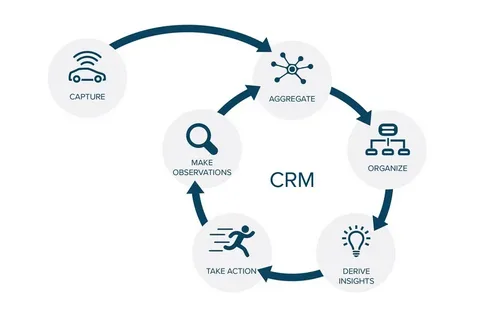
🔹 CRM is where you capture client behavior—every call, deal, project, and interaction.
🔹 Business Intelligence (BI) is where you make sense of that data—spotting trends, testing hypotheses, and forecasting outcomes.
One is your nervous system. The other is your brain.
You need both—but confusing them leads to expensive, underused tools.
Here’s how they differ—and how the best businesses use them together.
🧩 Core Difference: Action vs. Insight
| Primary Goal | Drive action: Follow up, close, deliver, retain | Reveal insight: Why did Q3 dip? Which segment is growing? |
| Data Source | Operational—real-time inputs from teams | Aggregated—pulled from CRM, ERP, spreadsheets, etc. |
| User | Sales, project managers, client leads | Finance, leadership, strategy teams |
| Time Horizon | Today → Next 90 days | Last quarter → Next 12–24 months |
| Output | Tasks, reminders, automated emails | Dashboards, trend lines, predictive models |
Think of it this way:
→ Your CRM tells you: “Client X hasn’t responded in 7 days—send a check-in.”
→ Your BI tells you: “Clients who go 7+ days without contact are 3.2x more likely to churn.”
One prompts action. The other informs strategy.
⚠️ The Common Mistake: Expecting Your CRM to Be a BI Tool
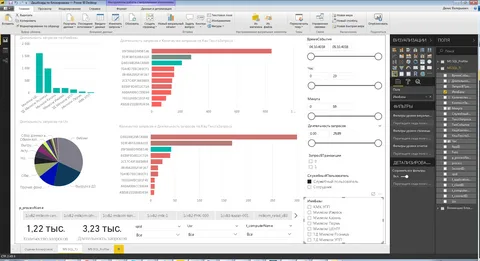
Many businesses buy a CRM, then ask: “Can it show me cohort analysis? LTV trends? Predictive churn?”
Some CRMs claim to—via add-ons or embedded dashboards. But here’s the reality:
❌ CRM reports are limited to its own data (no ERP, support, or external inputs)
❌ Visualizations are static—built for status, not exploration
❌ “Predictive” scores are often black-box algorithms with low accuracy for SMBs
Example: A CRM might flag “Client at risk” based on login frequency.
But BI—pulling CRM + invoicing + support tickets—might reveal: “Clients with 2+ late payments AND 3+ support tickets in 30 days churn 86% of the time.”
That’s actionable insight. The CRM alone can’t see it.
🔄 How They Work Best Together: A Real-World Flow
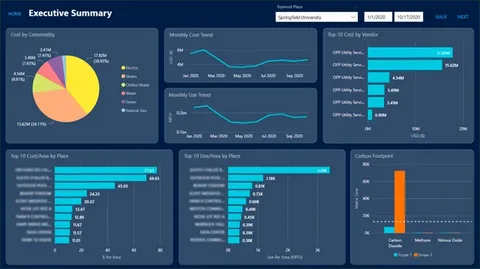
The magic happens when CRM feeds BI—and BI sharpens CRM actions.
Here’s how a gold trading firm uses the combo in WORKESK + Power BI:
- CRM (WORKESK) captures:
- Every client interaction (calls, meetings, project updates)
- Deal size, payment terms, project margin
- Renewal dates and satisfaction notes
- BI (Power BI) pulls that + ERP data (shipment costs, assay fees) to reveal:
→ “Clients buying >5kg/month with 30-day terms have 92% retention; those on 60-day terms: 41%”
→ “Margin drops 18% when project scope changes >2x” - Back to CRM: Leadership updates workflows:
→ Auto-flag 60-day terms for finance review
→ Trigger scope-change checklist at revision #2
Data didn’t just inform—it changed behavior.
🛠️ Practical Tip: Start with CRM Intelligence—Before Full BI
You don’t need Tableau to get smarter.
Modern business management software like WORKESK includes built-in intelligence that bridges the gap:
- Pipeline health scores (based on stage velocity, rep activity)
- Client effort ratio (hours spent vs. revenue billed)
- Renewal risk alerts (no interaction + invoice overdue + low NPS)
- Team capacity vs. committed work
These aren’t BI—but they’re BI-adjacent: simple, actionable, and rooted in real operations.
Think of them as your “BI lite”—until you’re ready for deeper analysis.
The bottom line?
CRM without intelligence is busywork.
BI without CRM data is guesswork.
The most agile businesses treat them as partners:
→ CRM fuels the engine of growth.
→ BI steers the course.
And when your CRM—like WORKESK—is built as part of a unified business management software (with project tracking, e-invoicing, and team collaboration software), your data is clean, connected, and ready to power both daily action and strategic insight.
👉 Want to see how WORKESK’s operational data feeds smarter decisions—without complex BI setup?
Explore built-in analytics and integration paths: workesk.com
We’ll help you start small and scale insight: support@workesk.com