
Let’s cut through the confusion once and for all.
When someone says “Business Central vs CRM,” they’re comparing apples to forklifts.
✅ Microsoft Dynamics 365 Business Central is an ERP—an Enterprise Resource Planning system.
Its job: control the engine room—finance, inventory, operations, compliance.
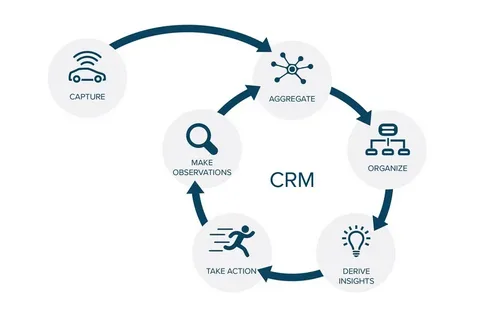
✅ A CRM—Customer Relationship Management system—is a growth engine.
Its job: steer the ship—leads, relationships, sales, client retention, project handoffs.
One manages resources. The other manages relationships.
You need both—but not necessarily in one monolithic suite.
Here’s how they actually differ—and where teams go wrong trying to force one to do the other’s job.
📊 Core Purpose: What Each Was Built to Do
| Primary Users | Accountants, ops managers, warehouse staff | Sales, BD, project leads, client success teams |
| Data Focus | Transactions, costs, inventory, GL | Interactions, intent, pipeline, client health |
| Key Question It Answers | “What did we spend, sell, and owe?” | “Who’s interested, why, and what’s next?” |
| Workflow Style | Structured, rule-based, audit-tracked | Flexible, stage-based, behavior-triggered |
| Client View | Name, account #, credit limit, open invoices | Full history: calls, projects, preferences, sentiment |
⚠️ The Trap: Using Business Central’s “Relationship Management” as a CRM
Yes—Business Central has a Relationship Management module.
But it’s like using a Swiss Army knife to perform surgery: technically possible, but not ideal.
Its limits become obvious fast:
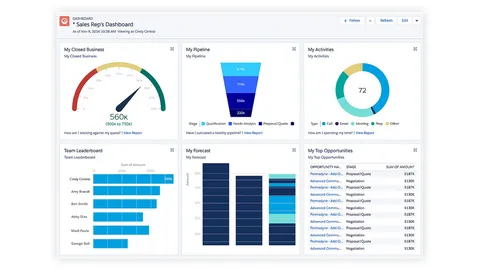
❌ No visual, drag-and-drop sales pipeline
❌ No lead scoring or behavior tracking (e.g., email opens, page visits)
❌ No native meeting tools—Zoom/Teams logs must be added manually
❌ No automation beyond basic task reminders
❌ Poor support for project linkage (“Deal won → Start project” isn’t native)
Result? Many teams end up running two systems anyway—defeating the purpose of integration.

🔄 The Smart Strategy: Let Each Tool Do What It Does Best
You don’t need to choose between Business Central and CRM.
You need them to complement each other—without over-engineering.
Here’s how high-performing SMBs do it:
🔹 Keep Business Central for what it excels at:
- General ledger & financial reporting
- Inventory & supply chain
- Project accounting (cost tracking, billing integration)
- Regulatory compliance (VAT, WHT, audit trails)
🔹 Use a modern CRM (like WORKESK) for:
- Lead capture & pipeline management
- Client communication (emails, Zoom call logs, notes)
- Project delivery (tasks, timelines, file sharing)
- E-invoicing, workflow automation, Biolinks, and team collaboration
Then sync only what matters:
→ New client in CRM → push to BC as Customer
→ Invoice paid in BC → update status in CRM
→ Project budget vs. actuals → pull for margin analysis
No dual licensing. No complex middleware. Just clean, purpose-built tools.
🎯 When to Consider a Full Dynamics 365 Suite (and When Not To)
✅ Go all-in on Dynamics 365 Sales + BC + DualWrite if:
- You’re enterprise-scale (500+ employees)
- You need deep AI, marketing automation, or customer service hubs
- You have dedicated IT and budget for $50K+ implementation
🚫 Look elsewhere if you’re:
- A small or mid-sized business (<100 employees)
- Owner-led or lean-team operated
- Need fast adoption, low friction, high ROI
For most growing SMBs, a hybrid approach delivers 95% of the value—at 30% of the cost and complexity.
The bottom line?
Business Central isn’t a CRM.
And a CRM shouldn’t try to be an ERP.
Clarity beats consolidation.
Purpose beats platform.
👉 Want to see how WORKESK complements Business Central—without replacing your financial backbone?
Explore real integration examples: workesk.com
We help SMBs build lean, scalable stacks—no vendor lock-in: support@workesk.com