

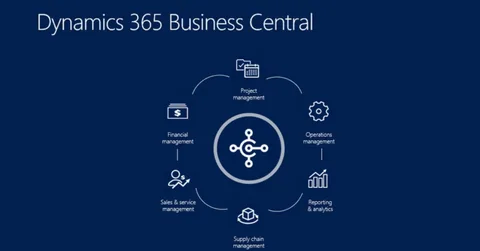
You’ve made a smart choice: Microsoft Dynamics 365 Business Central for finance, operations, and compliance.
Now you need a true CRM—something that handles pipelines, client engagement, project handoffs, and team collaboration.
The question isn’t if you should integrate. It’s how—without blowing your budget, timeline, or team’s sanity.
Let’s compare the three real-world paths—and why many growing businesses are choosing a fourth, smarter option.
🔌 Option 1: Dynamics 365 Sales + DualWrite (The “Official” Route)
✅ What it is: Microsoft’s native integration between Business Central (ERP) and Dynamics 365 Sales (CRM), using DualWrite for real-time sync.
✅ Pros:
- Deep, bi-directional sync (contacts, companies, opportunities, invoices)
- Unified security and Azure AD
- Microsoft support & roadmap alignment
❌ Reality check for SMBs:
- Cost: ~$95/user/month for Sales + $70/user/month for BC + implementation ($15K–$50K+)
- Complexity: Requires IT/admin expertise (or costly consultants)
- Overhead: Full D365 Sales includes features most SMBs never use (marketing automation, AI scoring, portals)
- Adoption risk: Non-finance teams often resist the dense UI
Best for: Enterprises with dedicated IT and complex sales cycles.
Not ideal for: Boutique consultancies, agencies, brokers, or owner-led firms.
🔗 Option 2: Third-Party Connectors (Zapier, Power Automate, etc.)
✅ What it is: Lightweight automation tools syncing key fields (e.g., new client in BC → create contact in HubSpot).
✅ Pros:
- Lower upfront cost
- Faster setup (days, not months)
- Flexible—works with HubSpot, Zoho, Pipedrive, etc.
❌ Limitations:
- One-way or limited bi-directional sync (e.g., contacts sync, but not opportunity stages)
- No project linkage (“Deal won” ≠ “Start delivery project”)
- Error handling is manual (failed syncs = silent data gaps)
- Scalability issues beyond 5–10 syncs
Best for: Basic contact/invoice sync in very small teams.
Risky for: Any business where deal-to-delivery continuity matters.
🧩 Option 3: Purpose-Built Hybrid—WORKESK + Business Central
✅ What it is: Keep Business Central as your financial core. Use WORKESK as your CRM, project management, and team collaboration software—with clean, controlled sync.
✅ Why it works for growing SMBs:
- No duplicate licensing: WORKESK starts at $12/user/month—includes CRM, projects, e-invoicing, payroll, Zoom, automation
- Real bi-directional sync: Via Power Automate or native connectors
→ New WORKESK client → auto-create in BC
→ Invoice paid in BC → update client status in WORKESK
→ Project budget vs. actuals → pull for margin tracking - CRM that teams want to use: Visual pipelines, Zoom call logging, BioLinks, mobile-friendly
- Zero over-engineering: No unused modules. No 50-field forms. Just what moves the business forward.
One advisory firm cut integration costs by 73%—and saw 92% team adoption in 3 weeks—by switching from D365 Sales to this hybrid model.
🎯 The Strategic Takeaway
Integration isn’t about connecting systems.
It’s about connecting outcomes:
→ Sales closes → ops delivers
→ Delivery finishes → finance invoices
→ Payment received → renewal cycle begins
If your current setup has handoffs, spreadsheets, or “Let me check…” delays—your integration isn’t working, no matter how “official” it is.
A lean, modern stack—Business Central for finance, WORKESK for growth—delivers reliability and agility.
👉 Ready to see a real-world sync in action?
Explore WORKESK + Business Central integration demos: workesk.com
We’ll help you map your exact workflow—no sales pitch, just clarity: support@workesk.com