
Let’s be real: You still get handed business cards.
At trade shows. Client meetings. Chamber mixers. Even coffee shops.
And despite the best intentions—“I’ll enter this later!”—too many end up:
→ Stuck in a wallet for weeks
→ Lost in a desk drawer
→ Snapped with your phone… then buried in 2,347 photos
The cost? Missed follow-ups. Forgotten connections. Opportunities gone cold.
But what if turning a business card to CRM took 8 seconds—and happened before you left the conversation?
Here’s how modern teams are closing the gap—without scanners, apps, or admin overhead.
📱 Step 1: Ditch the Scanner (Seriously)
Dedicated business card scanners? OCR apps that misread “Dubai” as “Duhai”? Manual data entry at 11 p.m.?
There’s a faster way.
In WORKESK, your team can create a personalized BioLink (e.g., yourbrand.com/ali)—a smart landing page that includes:
- Your photo, title, and contact info
- One-click options: “Save My Contact”, “Book a Meeting”, “View My Projects”
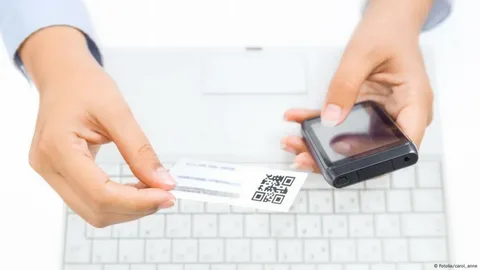
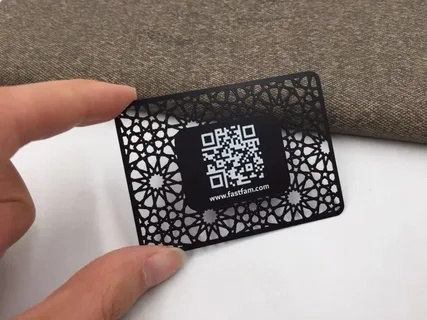
- A QR code (print it on your business card)
When you meet someone, just say:
“Here’s my card—scan the QR, tap ‘Save Contact,’ and you’ll have me on speed dial. I’ll do the same for you.”
They save you instantly. And when they tap “Book a Meeting,” it logs the inquiry directly in your CRM system—with name, email, and meeting topic auto-captured.
🔄 Step 2: Turn the Exchange Into a CRM Record—Automatically
What if their card could trigger a CRM entry—without you typing a thing?
With WORKESK’s Zoom integration and smart workflows, here’s how it works in practice:
- They book a meeting via your BioLink
- You meet on Zoom (logged automatically to their new CRM profile)
- After the call, WORKESK prompts: “Add next step?” → You tap “Send Proposal”
- A task assigns to you. A follow-up reminder sets for 48 hours.
No card needed. No manual entry. Just intent → action → record.
For in-person meetings? Snap a photo of their card with your phone → use WORKESK’s mobile app to upload it → AI extracts name, company, email, phone → creates contact + logs “Met at [Event]” in notes.
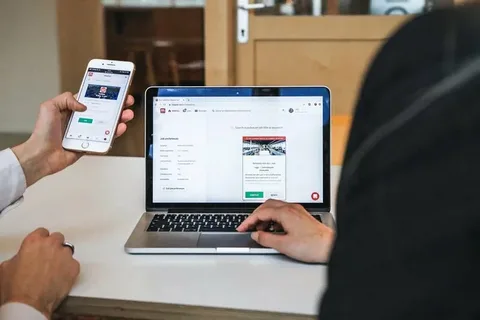
🧠 Step 3: Make the First Follow-Up Unmissable
The real danger isn’t losing the card—it’s losing the momentum.
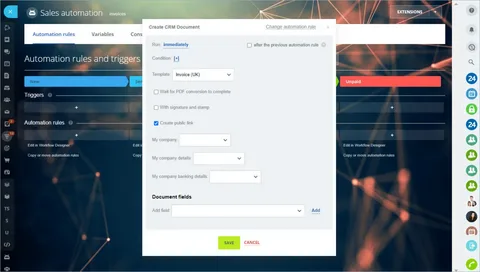
That’s where workflow automation changes the game. In WORKESK, set one rule:
→ IF new contact added AND source = “Business Card” OR “Event”
→ THEN assign task: “Personalized follow-up within 24h”
→ AND send email template: “Great meeting you at [Event]—here’s what we discussed…”
You sound prompt, professional, and prepared—not frantic.
One gold trading firm increased post-event conversion by 61%—just by automating the 24-hour touchpoint.
💡 Bonus: Flip the Script—Give Them a Better Card
Your business card shouldn’t just share your number. It should start the relationship.
With WORKESK, design a card that says:
🔹 Front: Name, title, company
🔹 Back: QR code + “Scan to book a meeting, see my availability, or save my contact”
No phone typing. No “What’s your email again?”
Just a seamless handoff from handshake to CRM.
A business card isn’t outdated.
The process around it is.
When you bridge the physical and digital—using tools like BioLinks, AI capture, and smart workflow automation—you turn fleeting introductions into tracked, nurtured, revenue-ready relationships.
And when it’s all inside a true business management software like WORKESK—where CRM, project tracking, team collaboration software, and e-invoicing live together—you don’t just collect contacts.
You build a pipeline.
👉 Ready to upgrade your outreach—without upgrading your workload?
Create your first BioLink and CRM workflow in minutes: workesk.com
We’ll even help you design your QR-enabled business card: support@workesk.com