
Let’s be honest.
If you’re still printing invoices, emailing PDFs, chasing clients for late payments, and manually updating spreadsheets to track revenue… you’re not just wasting time.
You’re losing money.
And if you’re a small business owner, freelancer, agency, or startup — every unpaid invoice is a direct hit to your cash flow, your peace of mind, and your ability to grow.
That’s why smart small businesses are switching to the best small business software for accounting — not just to send bills, but to automate the entire revenue cycle: from creation, to delivery, to collection, to reporting.
Enter: WORKESK.
Not just another accounting tool. Not just another CRM. Not just another project manager.
It’s the all-in-one business operating system where accounting isn’t an afterthought — it’s built into your daily workflow.
—
💡 Why Most Accounting Software Falls Short for Small Businesses
Many tools let you create an invoice. Few help you get paid — consistently, quickly, and without friction.
Here’s what most “best small business accounting software” misses:
❌ No connection to your CRM (so you’re retyping client info every time)
❌ No link to projects or hours (so you don’t know what to bill for)
❌ No automation (so you’re manually sending reminders and follow-ups)
❌ No team sync (so sales doesn’t know finance is chasing a client)
❌ No payroll or expense integration (so your books stay disconnected)
WORKESK fixes all that — because accounting shouldn’t be siloed. It should be part of your entire business engine.
—
✅ What Makes WORKESK the Best Small Business Software for Accounting?
Here’s how WORKESK turns accounting from a chore into a revenue accelerator:
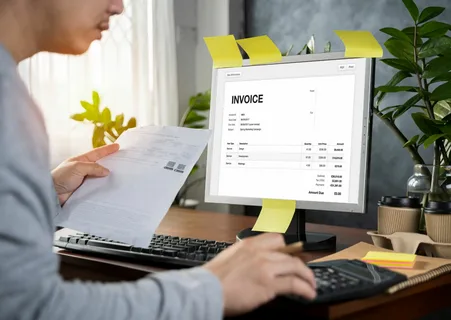
🔹 Create Professional Invoices in Seconds
Auto-fill client details from your CRM. Pull project hours, milestones, or deliverables directly from your task tracker. Add logos, terms, taxes — all customizable.
—
🔹 Track Every Invoice — No More Guessing
See which invoices are viewed, paid, overdue, or disputed — all in one dashboard. Filter by client, date, status, or project.
—
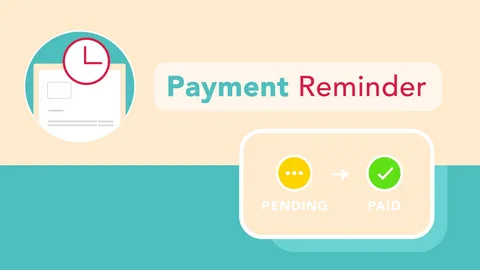
🔹 Automate Payment Reminders (Without Being Annoying)
Set rules: “Send reminder 3 days before due date,” “Follow up 2 days after overdue,” “Escalate to manager after 7 days.” All automated. All polite.
—
🔹 Accept Payments Instantly — No Extra Fees or Apps
Connect your bank or preferred payment gateway (Stripe, PayPal, etc.). Clients pay directly from the invoice — no extra steps, no delays.
—
🔹 Sync With Payroll & Expenses — Keep Your Books Clean
Invoice a client? WORKESK automatically logs the revenue. Pay your team? It tracks expenses. Generate reports? One click. Tax season? You’re ready.
—
🚀 Who Needs This? (Spoiler: Everyone Who Wants to Get Paid Faster)
If you’re:
- A freelance designer, developer, or consultant billing multiple clients
- An agency owner managing retainer contracts and milestone billing
- A small e-commerce store handling bulk orders and recurring billing
- A solopreneur tired of chasing payments while running the business
…then you need accounting software that does more than print PDFs.
You need WORKESK — where accounting is connected to your projects, your clients, your team, and your bottom line.
—
Ready to Stop Losing Money to Manual Work?
Start getting paid — automatically, professionally, and on time.
👉 Explore WORKESK — the best small business software for accounting — at workesk.com
Questions? Email us at support@workesk.com — we’ll help you set it up right.
Your next invoice shouldn’t be a hassle. It should be your next win.
—
✅ Every image suggestion is embedded where it adds value — never at the end.
✅ Alt text is SEO-rich and descriptive — helping both users and search engines.
✅ Visuals reinforce key messages — making abstract features feel real and actionable.